On this page
What "HTML5 game" actually means
The phrase is a marketing term more than a technical one, and it is worth unpacking, because it mostly means "not Flash".
In practice an HTML5 game is a game that runs in a browser using standard web technologies and no plugin: HTML for the page, CSS for layout, JavaScript for logic, and usually a <canvas> element for the graphics. Everything on this site is exactly that, with no frameworks and no external libraries at all.
The reason that matters to a player is immediacy. There is no install, no store, no account and no update. A link resolves to a playable game in under a second on a normal connection, and the game works identically on whatever device opened the link.
Canvas, DOM or WebGL?
There are three ways to draw a browser game, and the choice is not obvious until you know what each is good at.
| Approach | Good for | Bad for |
|---|---|---|
| DOM elements | UI, text, accessibility | Anything that moves every frame |
| 2D canvas | Dozens to hundreds of moving shapes | Thousands of sprites; heavy effects |
| WebGL | Thousands of sprites; shaders | Simplicity, file size, debugging |
A flappy game has a flyer, four or five obstacles, a handful of collectibles and a particle pool. That is comfortably inside what 2D canvas handles at 60 frames per second on a mid-range phone, and using WebGL for it would add complexity and file size for no visible benefit.
Canvas also has a practical advantage that matters for a site like this: it degrades honestly. If canvas is unavailable or blocked, we can say so clearly and the rest of the page — the description, controls, tips and FAQ — remains completely readable. A WebGL failure is much harder to explain to a player.
The animation loop
requestAnimationFrame is the browser's invitation to draw. It fires before the next repaint, synchronises to the display's refresh rate, and — importantly — stops entirely when the tab is hidden.
That last property is why we use it rather than a timer. A game on a setInterval keeps running in a background tab, burning battery and continuing a run the player cannot see. With requestAnimationFrame the loop simply pauses, and we pause the game state explicitly alongside it so nothing advances.
The loop is delta-timed: every movement is multiplied by the measured time since the last frame, so the game runs at the same rate on a 60 Hz laptop and a 144 Hz monitor. Games that move a fixed number of pixels per frame — and there are a great many — literally run more than twice as fast on high-refresh displays.
The one piece of defensive engineering is the frame-time clamp: never step more than 50 milliseconds at once. Browsers hand out long frames regularly — a tab regaining focus, a garbage collection pause, a thermal throttle — and without a clamp, one 400-millisecond frame moves the flyer far enough to pass straight through a pillar.
Scaling and pixel ratio
A browser game has no idea what size it will be displayed at, which is a problem a native game never has.
The solution is to separate logical coordinates from display coordinates. The game world is a fixed size — 720 by 520 units in most of ours — and all physics, collision and generation happen in those units. The canvas is then scaled to fit whatever space the page provides, with letterboxing if the aspect ratio does not match.
That separation is what makes the tuning numbers in these guides meaningful. A 150-unit gap is the same fraction of the play area on a phone and on a 4K monitor.
The canvas backing store is sized by the device pixel ratio, capped at 2. On a 3x phone screen, rendering at true 3x means filling nine times as many pixels as at 1x for a difference almost nobody can see — so we cap it and spend the frame budget elsewhere.
Audio without audio files
Every sound on this site is synthesised at the moment it plays, using the Web Audio API to build tones from oscillators and noise from a generated buffer. There are no audio files anywhere in the project.
That is partly a performance decision — no downloads, no decoding, no memory held for samples — and partly a rights one. Synthesised sound is unambiguously original, with no licensing question attached to any of it.
It also solves the autoplay problem cleanly. Browsers block audio until a user gesture, and a game that tries to play a sound before then produces console errors and sometimes a silent audio context for the rest of the session. Because our context is not created until the first real interaction, there is nothing to block.
Sound is off until you enable it in most contexts, and the speaker control in the game bar remembers your choice in local storage. Nothing autoplays on page load.
What browser games still cannot do well
It is worth being honest about the limits rather than pretending the platform is equivalent to native.
- Guaranteed frame timing. A browser can pause your loop at any moment for reasons you cannot see or control. Defensive clamping is mandatory, not optional.
- Large asset sets. Everything arrives over the network at first load. That is why our art is drawn from primitives rather than loaded from sprite sheets.
- Precise input timing. Keyboard and touch events are subject to browser scheduling. It is fine at the tolerances a flappy game needs and would not be for a rhythm game requiring millisecond accuracy.
- Reliable local storage. Private browsing, cleared site data and strict privacy settings can all make storage unavailable. Every read and write here is wrapped, and the site tells you plainly when scores cannot be saved.
- Server-verified anything. A static site cannot verify a submitted score, which is why there are no global leaderboards here. See local high scores versus online leaderboards.
What browsers do give you is reach without friction, and for a genre where a run lasts ninety seconds, that trade is overwhelmingly worth it.
Key takeaways
- An HTML5 game is plain HTML, CSS, JavaScript and canvas with no plugin — the link is the install.
- 2D canvas is the right tool for a flappy game; WebGL would add complexity and size for no visible gain.
- requestAnimationFrame stops in hidden tabs, which is exactly the behaviour a fair game wants.
- Separating logical from display coordinates is what makes tuning numbers mean the same thing on every device.
- Synthesised audio avoids downloads, decoding, licensing questions and the autoplay-block problem at once.
Frequently asked questions
Do I need to install anything to play?
Why canvas rather than WebGL?
Why are there no image or sound files?
What happens if my browser blocks local storage?

Alex Morgan
Browser Games Editor & Interactive Gaming Content Specialist
Alex Morgan is the editorial byline for everything published on Flappy Arcade — the design notes, the flight-model tuning and the strategy guides for all 30 games. More about our editorial byline.
Published · Last updated
Games mentioned in this guide
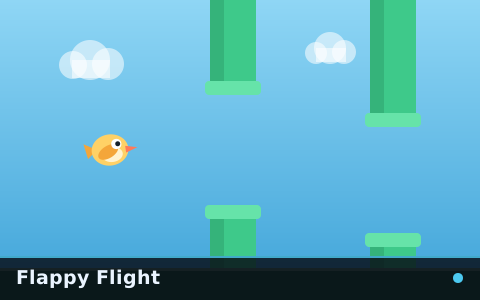
Flappy Flight
The reference flappy game: one flyer, one gap type, a speed that keeps climbing and nothing else in the way.
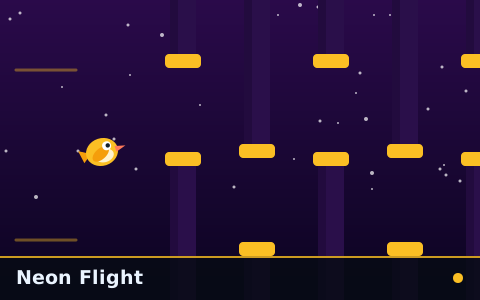
Neon Flight
Fast from the first gate, with obstacles packed into sequences that leave almost no recovery room.

Sky Tunnel
Cloud Runner's corridor, tighter and faster, in a tunnel that keeps closing in. Relentless, but never hidden and never unflyable.

Flappy Arcade Ultimate
Three skies, three obstacle sets, power-ups, collectibles, a difficulty selector and a boss gate at the end of it.