On this page
Delta timing
The first thing a canvas game has to get right is that frames do not arrive at a fixed rate. A 60 Hz laptop, a 120 Hz tablet and a 144 Hz monitor all deliver different numbers of frames per second, and any of them will occasionally deliver a long one.
The fix is to multiply every movement by the measured time since the last frame. A flyer falling at 400 units per second moves 6.67 units in a 60 Hz frame and 2.78 in a 144 Hz frame — different distances, identical speed.
Games that move a fixed number of pixels per frame are extremely common and run more than twice as fast on a high-refresh display. It is usually the first thing to check when a browser game feels wrong on one machine and fine on another.
The world moves, not the flyer
In every game on this site the flyer holds a fixed horizontal position and the world scrolls past it. That is not how it looks, and it is much simpler than the alternative.
- No camera. There is nothing to follow, smooth or clamp.
- Coordinates stay small. Obstacle positions never grow beyond the screen's width, so there is no floating-point drift after ten minutes.
- Culling is trivial. Anything past the left edge is discarded; anything past the right does not exist yet.
- Collision is local. Only obstacles near the flyer's fixed x need testing at all.
Distance, where a game reports it, is accumulated separately — scroll speed integrated over time — rather than derived from any position. That keeps it accurate over arbitrarily long runs.
Logical versus display coordinates
A browser game does not know what size it will be drawn at. The solution is to fix the world in logical units and scale only at the point of rendering.
Ours are mostly 720 by 520 logical units. All physics, collision and generation happen in those units regardless of whether the canvas ends up 380 pixels wide on a phone or 1,400 on a monitor. The canvas is scaled to fit and letterboxed if the aspect ratio does not match.
That separation is what makes the numbers in these guides mean something. A 150-unit gap is the same fraction of the play area everywhere, and a player on a small screen sees exactly the same field as one on a large screen.
Pointer input runs the same transform in reverse: a click or tap in client coordinates is converted back into logical coordinates, accounting for the scale and the letterbox offset.
Keeping it smooth
- Clamp the frame time. Never step more than 50 ms, so a stall becomes a stutter rather than a teleport.
- Pool particles. Allocating dozens of objects per second gives the garbage collector work, and a collection pause mid-sequence reads as a hitch.
- Avoid DOM writes per frame. HUD values are only written when the displayed text actually changes, not every frame.
- Cap the pixel ratio. Rendering at true 3x on a phone means filling nine times the pixels for a difference almost nobody can see. We cap at 2.
- Draw the background cheaply. Gradients and primitives rather than images, and fewer of them in reduced-motion mode.
None of these are exotic. Together they are the difference between a game that holds 60 fps on a mid-range phone and one that does not.
Key takeaways
- Multiply every movement by the measured frame time, or the game runs at double speed on a 144 Hz display.
- Scrolling the world past a fixed flyer removes the camera, keeps coordinates small and makes culling trivial.
- Fix the world in logical units and scale only at render time, so tuning numbers mean the same thing everywhere.
- Clamp frame time, pool particles, avoid per-frame DOM writes and cap the device pixel ratio at 2.
Frequently asked questions
Why does the flyer never move horizontally?
Will the game look blurry on a high-density screen?
How is distance measured if positions stay small?

Alex Morgan
Browser Games Editor & Interactive Gaming Content Specialist
Alex Morgan is the editorial byline for everything published on Flappy Arcade — the design notes, the flight-model tuning and the strategy guides for all 30 games. More about our editorial byline.
Published · Last updated
Games mentioned in this guide
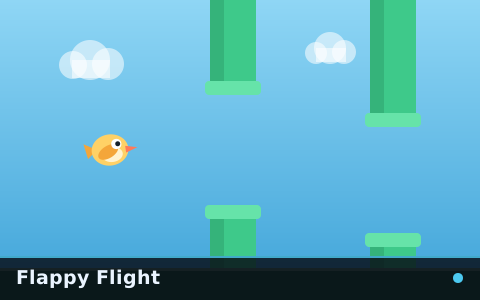
Flappy Flight
The reference flappy game: one flyer, one gap type, a speed that keeps climbing and nothing else in the way.

Cloud Runner
A continuous cloud corridor with no discrete gates. The walls never stop moving and neither can you.

Neon Flight
Fast from the first gate, with obstacles packed into sequences that leave almost no recovery room.