The canvas problem
A canvas is, to assistive technology, a single opaque image. Everything happening inside it is invisible: there is no text, no structure and nothing to announce. That is a real and largely unsolved problem, and it would be dishonest to present a canvas game as fully accessible.
What can be done is to make everything around the canvas work properly, and to make the game itself as forgiving as possible in the dimensions that are under our control.
- The canvas carries a descriptive label explaining what it is and where the instructions are.
- Every control — start, pause, restart, mute, fullscreen — is a real button outside the canvas, keyboard reachable and correctly labelled.
- Every game page contains the complete rules, controls, mechanics and tips as ordinary HTML, so the game is fully described even when it cannot be played.
- Game state changes — paused, game over — are conveyed in real DOM elements rather than only drawn.
What we implement
| Area | What we do |
|---|---|
| Keyboard | Full operation: play, pause, restart, mute, navigate. Visible focus everywhere. |
| Motion | prefers-reduced-motion removes screen shake, cuts particles and simplifies backgrounds. |
| Colour | No information is ever conveyed by colour alone; warnings pair brightness with sound. |
| Contrast | Body text and UI meet WCAG AA contrast ratios against their backgrounds. |
| Pausing | Instant pause on a key, and automatic pause when the tab is hidden. |
| Audio | Off by default in most contexts, with a persistent toggle. Nothing autoplays. |
| Text | The page reflows and remains readable when zoomed; nothing depends on a fixed viewport. |
The pause behaviour is worth singling out. An arcade game that continues while you are dealing with something else is hostile to anyone who cannot guarantee uninterrupted attention, which is a much larger group than it sounds.
What we cannot do
Being specific about gaps is more useful than a general statement of intent.
- A canvas game cannot be played by a screen reader. There is no audio game mode here and we are not going to claim one.
- Reflex games are the least accessible category on the site. Speed is intrinsic to what they are, and no amount of careful design changes that.
- There is no global speed control. A hidden difficulty setting would make every tuning figure we publish meaningless. Instead we point to games that are genuinely slower.
- No remappable keys yet. With four bindings for one action this matters less than it would elsewhere, but it is a real gap.
If speed is the barrier, the precision category asks for the same accuracy with far more time, and Underwater Flap has the longest decision window of any game here.
Design choices that happen to help
Some of the most useful accessibility properties of this site are side effects of the format rather than deliberate features.
One input means the game is playable with a single switch or a single key, which is a significant accessibility property that no other genre gets for free. No accounts means no forms, no passwords and no verification. No time-limited offers means nothing is lost by playing slowly or stopping.
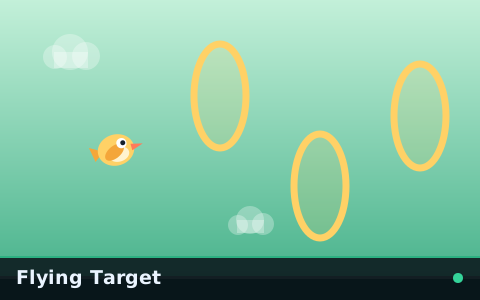
Flying Target deserves a specific mention: it has no lethal obstacles at all, so the failure condition is missing rings rather than crashing. For players who find crash-based failure stressful rather than motivating, it is the most comfortable game here.
If something on this site is a barrier for you, we would genuinely like to know. Accessibility reports get handled before bug reports on the contact page.
Key takeaways
- A canvas is opaque to assistive technology, so everything around it must carry the information instead.
- Every game page describes the full rules, controls and mechanics in plain HTML.
- Reduced motion, colour-independent signalling, instant pause and no autoplaying audio are implemented site-wide.
- Reflex games are genuinely the least accessible category here, and we say so rather than implying otherwise.
Frequently asked questions
Can these games be played with a screen reader?
Is there a way to slow the games down?
Do the games pause if I need to stop?

Alex Morgan
Browser Games Editor & Interactive Gaming Content Specialist
Alex Morgan is the editorial byline for everything published on Flappy Arcade — the design notes, the flight-model tuning and the strategy guides for all 30 games. More about our editorial byline.
Published · Last updated
Games mentioned in this guide
One-Tap Flyer
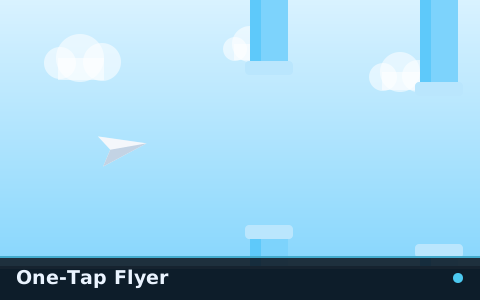
The gentlest game on the site. A floaty paper plane, wide spacing and enough time to see every decision coming.

Underwater Flap
Weak gravity, heavy drag and a long, slow response to every stroke. The same game at a completely different tempo.
Flying Target
There is nothing to avoid. There are only rings to fly through, and missing one costs you.