On this page
What the preference is actually asking
prefers-reduced-motion is a system-level setting that a visitor has deliberately turned on, usually because large or unexpected movement causes them discomfort — vestibular symptoms, nausea, migraine triggers.
It is not a request to remove all animation, and treating it that way produces a broken experience. In a game, the gameplay motion is the game; removing it would leave nothing. What the preference asks you to remove is motion that is decorative, high-amplitude, or applied to the whole viewport.
What we remove and what we keep
| Effect | Reduced motion | Why |
|---|---|---|
| Screen shake | Removed entirely | Whole-viewport movement is the worst offender |
| Particle bursts | Cut to about a third | Decorative; high density, low information |
| Parallax clouds | Simplified or removed | Background motion unrelated to gameplay |
| Flash overlays | Kept but softened | Carries information about damage |
| Flyer and obstacle motion | Unchanged | This is the game |
| CSS page transitions | Reduced to near-zero duration | Site-wide, outside the game |
Screen shake is the single most important removal. It moves the entire scene, which is exactly the pattern that causes problems, and it carries no information that the flash and the sound do not already provide.
Removing motion must not remove information
The failure mode to avoid is stripping an effect that was carrying meaning and leaving the player with less to work with than everyone else.
Our rule is that every gameplay signal has a non-motion channel. The gate-shift warning in Sky Reflex is a brightness change plus a sound, not a shake. Beam activation in Robo Flyer is a glow plus a ramp, not a flicker. A shield absorbing a hit draws a ring that persists rather than a single burst.
That means reduced-motion mode is genuinely equivalent rather than a degraded version. It is worth testing by playing a full run with the preference enabled and asking whether anything became harder to read.
A side benefit worth mentioning
Reduced motion is also the cheapest performance mode on the site. Fewer particles, a simpler background and no shake transform together reduce the per-frame cost meaningfully.
On an older phone, enabling reduced motion at the system level produces a noticeably smoother frame rate here. That is not why the feature exists, but it is a real and useful side effect, and it is one reason we cut particle counts rather than merely slowing them.
Testing reduced motion properly
The mistake is implementing the preference and then never playing with it on.
A reduced-motion mode that removes a signal you did not realise was carrying information produces a game that is quietly harder for the people who most need it to be easier — and because those players have no reference point, they will assume the difficulty is intended.
- Enable the system preference and play a full run of every game.
- Ask, at each moment something happened, whether you could still tell what it was.
- Check that damage, warnings, power-up state and game-over are all still legible.
- Compare a scored run with and without — if your average drops, something was removed that should not have been.
It takes about twenty minutes for a library this size and it is the only way to know the mode is equivalent rather than degraded.
Key takeaways
- prefers-reduced-motion asks you to remove decorative, high-amplitude and whole-viewport motion — not the gameplay.
- Screen shake is the first thing to remove; it moves the entire scene and carries no unique information.
- Every gameplay signal must have a non-motion channel so reduced mode is equivalent rather than degraded.
- Cutting particles and backgrounds also makes reduced motion the cheapest performance mode on the site.
Frequently asked questions
Does reduced motion make the games easier or harder?
How do I turn it on?
Will it improve performance on an old phone?
How do I know reduced motion has not made a game harder?

Alex Morgan
Browser Games Editor & Interactive Gaming Content Specialist
Alex Morgan is the editorial byline for everything published on Flappy Arcade — the design notes, the flight-model tuning and the strategy guides for all 30 games. More about our editorial byline.
Published · Last updated
Games mentioned in this guide
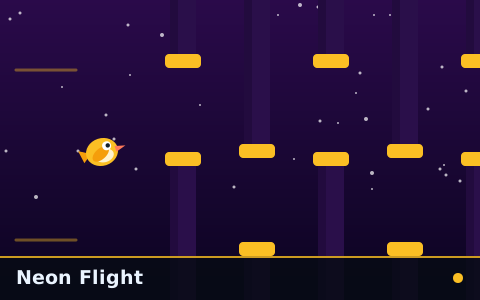
Neon Flight
Fast from the first gate, with obstacles packed into sequences that leave almost no recovery room.
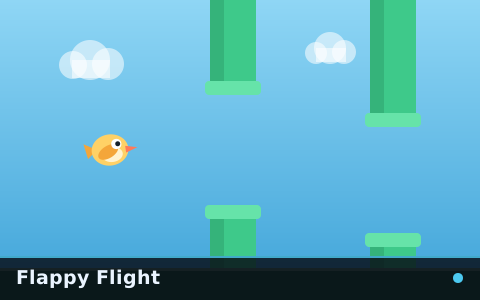
Flappy Flight
The reference flappy game: one flyer, one gap type, a speed that keeps climbing and nothing else in the way.

Flappy Arcade Ultimate
Three skies, three obstacle sets, power-ups, collectibles, a difficulty selector and a boss gate at the end of it.