On this page
The best touch control is the whole screen
Most touch controls in games are a virtual version of a physical control: a d-pad, a stick, a row of buttons. All of them share the same two problems — your thumb covers part of the screen, and you have to look at the control to find it.
A one-input game escapes both. The entire play area is the button, so there is nothing to aim at and nothing to miss, and you can tap wherever your thumb is not blocking the view.
This is not a compromise for phones; it is arguably better than a keyboard. There is no reaching, no hand position to maintain, and no way to press the wrong thing.
The browser behaviours you must disable
A browser on a touchscreen assumes it is displaying a document, and several of its defaults are actively hostile to a game.
| Behaviour | What it breaks | Fix |
|---|---|---|
| Double-tap zoom | Fast tapping zooms the page | touch-action on the play area |
| Pull-to-refresh | A downward drag reloads mid-run | Constrain overscroll behaviour |
| Long-press menu | Holding opens a context menu | Suppress contextmenu on the stage |
| Text selection | Dragging highlights the page | Disable selection on the stage |
| Address bar resize | Viewport height changes mid-frame | Re-measure the canvas on resize |
Each fix should be scoped to the play area rather than the whole page. Disabling zoom site-wide would be an accessibility failure — people legitimately need to zoom your text.
Thumb occlusion is real
Whatever you do, a thumb covers part of the screen. What you can control is whether that matters.
In a game where the player must tap a specific place, occlusion is a direct problem: the thumb sits over the control and therefore over whatever is behind it. In a game where any tap works, the player naturally drifts toward tapping somewhere harmless — usually the lower corner nearest their hand — and the occlusion stops being a design problem at all.
Our only accommodation is a hint on first play telling the player they can tap anywhere. After that, people find their own comfortable position, and different people choose noticeably different ones.
When an on-screen button is justified
Rarely, and only for a second action that genuinely needs to be distinct.
None of our flying controls use one, because the whole screen is better. Where buttons do appear — the pause, restart, sound and fullscreen controls in the game bar — they sit outside the play area, are real <button> elements, are keyboard reachable, and are announced by screen readers.
That last point is the argument for using real elements rather than drawing controls into the canvas. A canvas-drawn button is invisible to assistive technology and impossible to reach with a keyboard. A real button placed outside the play area costs nothing and works for everyone.
Controls that affect the game but are not gameplay — pause, restart, mute — should never be inside the play area on a touch device. A misplaced tap on a pause button during a run is far worse than the same mistake on a desktop.
Key takeaways
- Making the whole play area the button removes aiming, occlusion of a control, and hand positioning at once.
- Disable double-tap zoom, pull-to-refresh, long-press menus and text selection — scoped to the play area only.
- When any tap works, players find their own comfortable position and thumb occlusion stops mattering.
- Use real button elements outside the play area for pause and sound, never canvas-drawn controls.
Frequently asked questions
Should I add a virtual joystick to a flying game?
Is disabling zoom bad for accessibility?
Why are the pause and sound controls outside the game area?

Alex Morgan
Browser Games Editor & Interactive Gaming Content Specialist
Alex Morgan is the editorial byline for everything published on Flappy Arcade — the design notes, the flight-model tuning and the strategy guides for all 30 games. More about our editorial byline.
Published · Last updated
Games mentioned in this guide
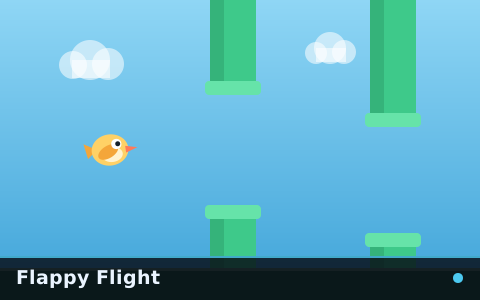
Flappy Flight
The reference flappy game: one flyer, one gap type, a speed that keeps climbing and nothing else in the way.
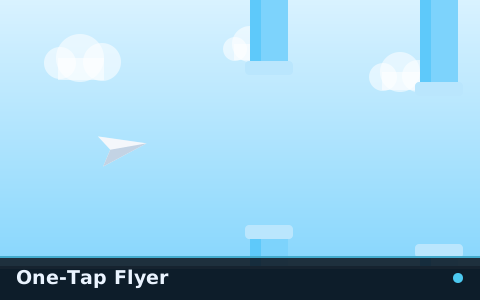
One-Tap Flyer
The gentlest game on the site. A floaty paper plane, wide spacing and enough time to see every decision coming.

Rocket Flap
A thruster you hold instead of a flap you tap. Altitude becomes continuous, and fuel makes it finite.
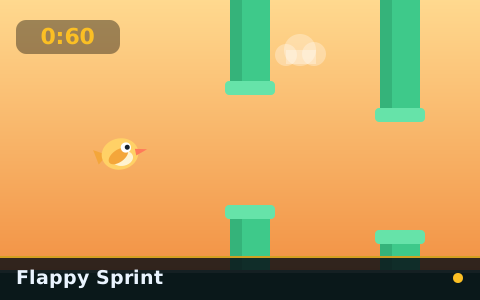
Flappy Sprint
Sixty seconds, no more. Every attempt costs exactly one minute, which makes trying again almost free.